Performance impacts on Laravel applications by Kubernetes resource limits
My company is building web applications based on Laravel Framework, some of which are using Livewire and Blade for frontend rendering instead of the classic JS/TS-based frontend approach with one of the famous frontend frameworks. This however comes at the cost of rendering Blade templates upon each request.
I recently had to fight with one Livewire full page component that took more than 5 seconds to render which is of course fully unacceptable. I enabled tracing for that endpoint and had a look at the spans that were produced for these requests.
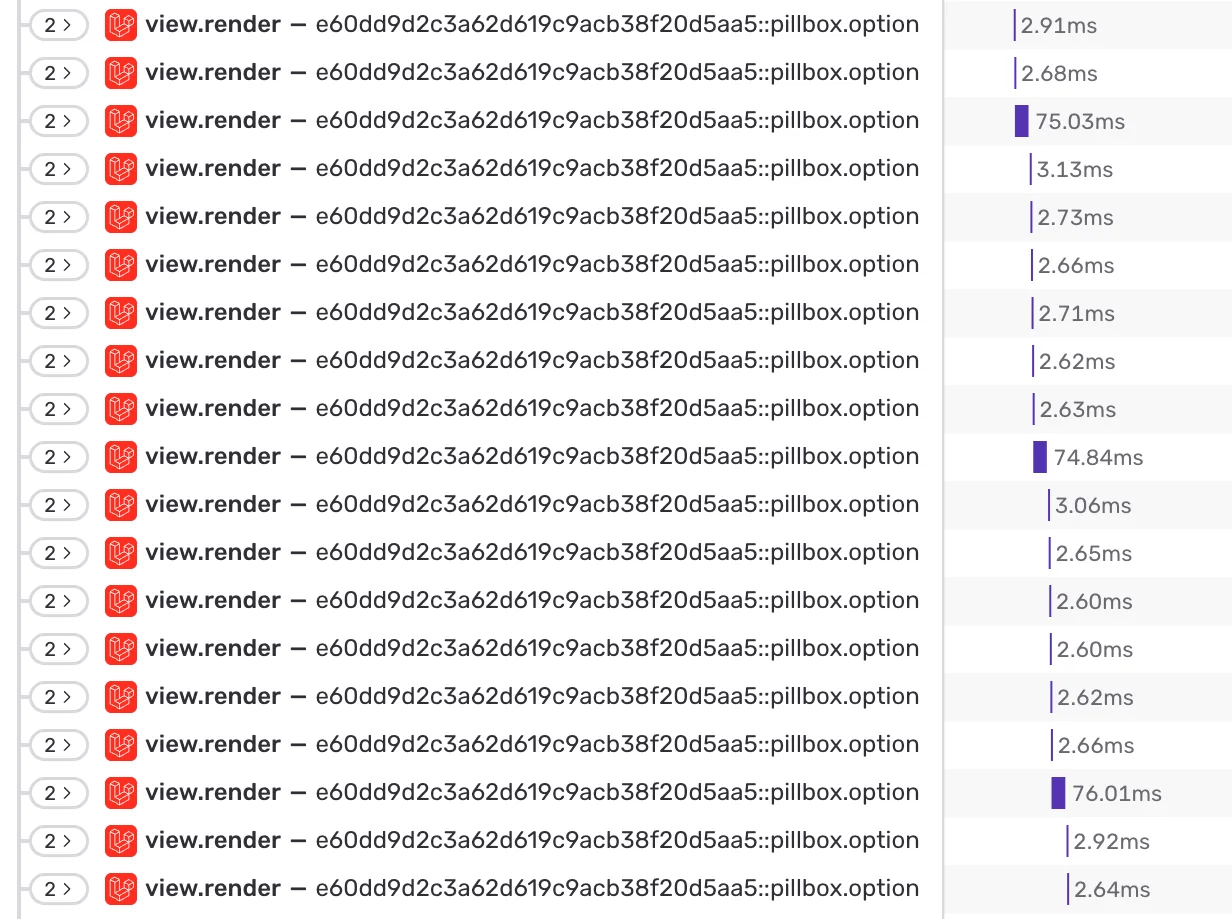
I picked this span to further analyse because it rendered available options for a dropdown menu in a loop. All rendered sub-components where exactly the same, the only difference was the content which was a string somewhere between 10 and 20 characters, so no real differences here.
You can immediately notice a pattern of every 7th or 8th component that suddenly takes around ~ 75 ms instead of just below ~ 3 ms, so 25x slower than the other render spans.
So something was slowing down the rendering of every few components within that loop, but it was obviously not an issue with the underlying component itself, because the rest of the renderings were fast (enough).
The pattern immediately reminded me of traffic shaping algorithm in the networking field. When applying some kind of traffic throttling to get the speed of a virtual network interface down to a certain amount, you can’t just artificially delay how long a packet takes. You need to deliberately “insert pauses” to get the overall connection speed down which can then be observed as a function of time.
My company’s applications all run on Kubernetes clusters. As you may know, it’s good and recommended practive to apply resource limits on Kubernetes workloads. When I initially deployed the application, I took an internal boilerplate manifest as starting point and said manifest does indeed contain resource requests as well as resource limits. These are used by Kubernetes to enforce hard limits on the memory and CPU usage.
In order to either confirm or disprove my assumption, I commented out the whole resource section of the underyling Kubernetes Deployment manifest and ran the test requests again to produce the traces.
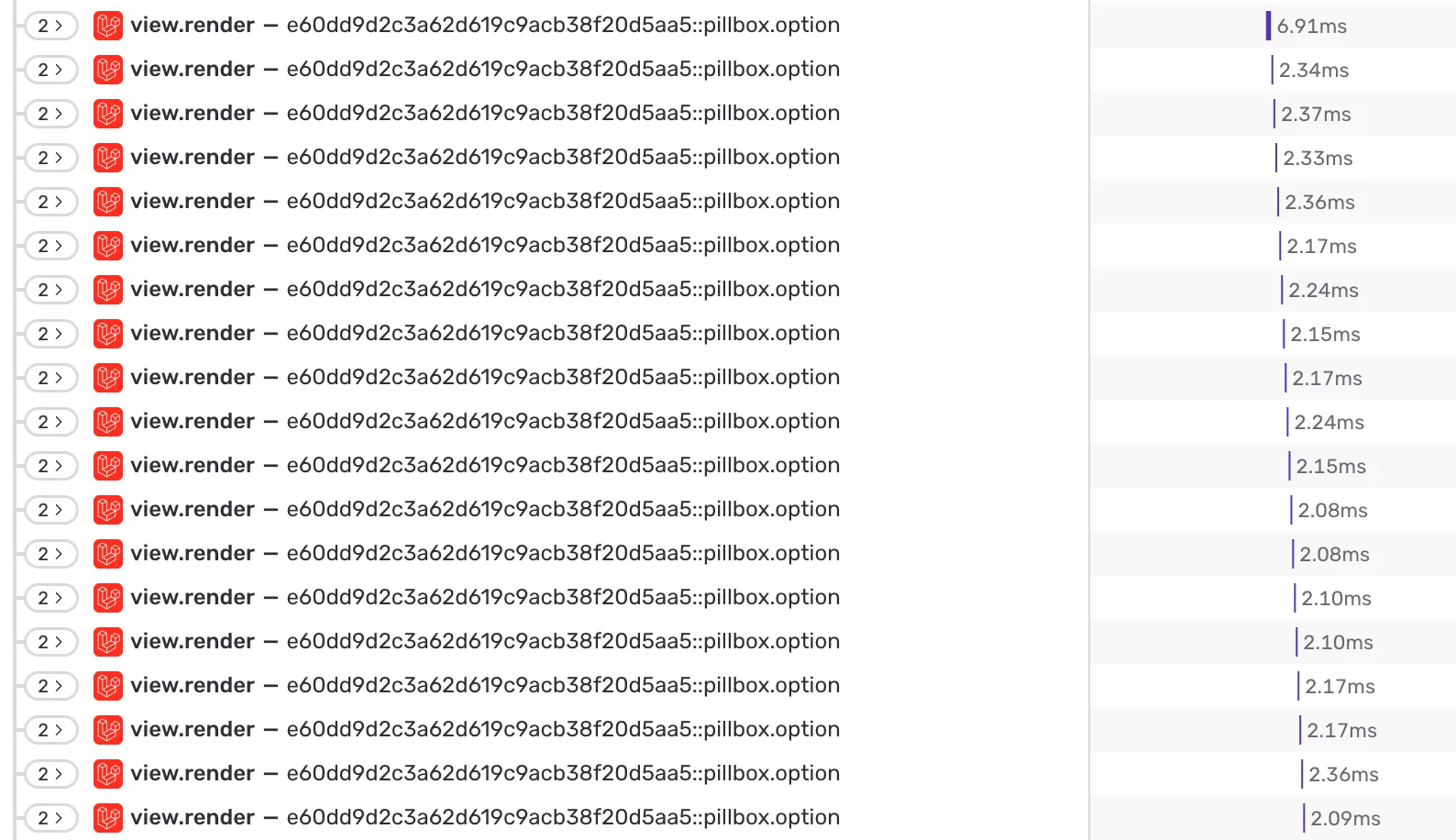
Immediately, the outliers were gone. The same component now renders within the same predictable timeframe.
The lesson one can learn from this experience again is to observe your Kubernetes resource usage before actually limiting it. Getting ahold of performance issues in your Laravel application is hard, especially when running on Kubernetes with many moving parts. It’s best to avoid this from the start and not to guess which values to use for hard limits. You may be wasting potential performance for your applications.